Analytics and log
Where the data comes from
Every query, click on a product in the window, add to cart and order after a search is recorded by the CS-Cart add-on, the WooCommerce plugin, the OpenCart extension or the widget. A click, cart or order remembers exactly which search it came from, so revenue is attributed to a specific query. If that link is missing (the shopper came back later), the order is assigned to the last search in their session within 24 hours. Checks from the dashboard and the widget preview are not counted.
Screens
- Summary: how many queries and how many of them are distinct, the share with no results, successful searches, orders after search, revenue and average order value, with daily charts.
- Queries: the most popular queries for the period, with counts, products found, clicks and CTR, orders. A handy place to create synonyms and result rules.
- No results: queries for which search found nothing. This is the main list to work through for your dictionaries, with counts and when each query last appeared.
- Clicks and orders: products that shoppers found and bought through search, with clicks, add-to-carts, orders and revenue.
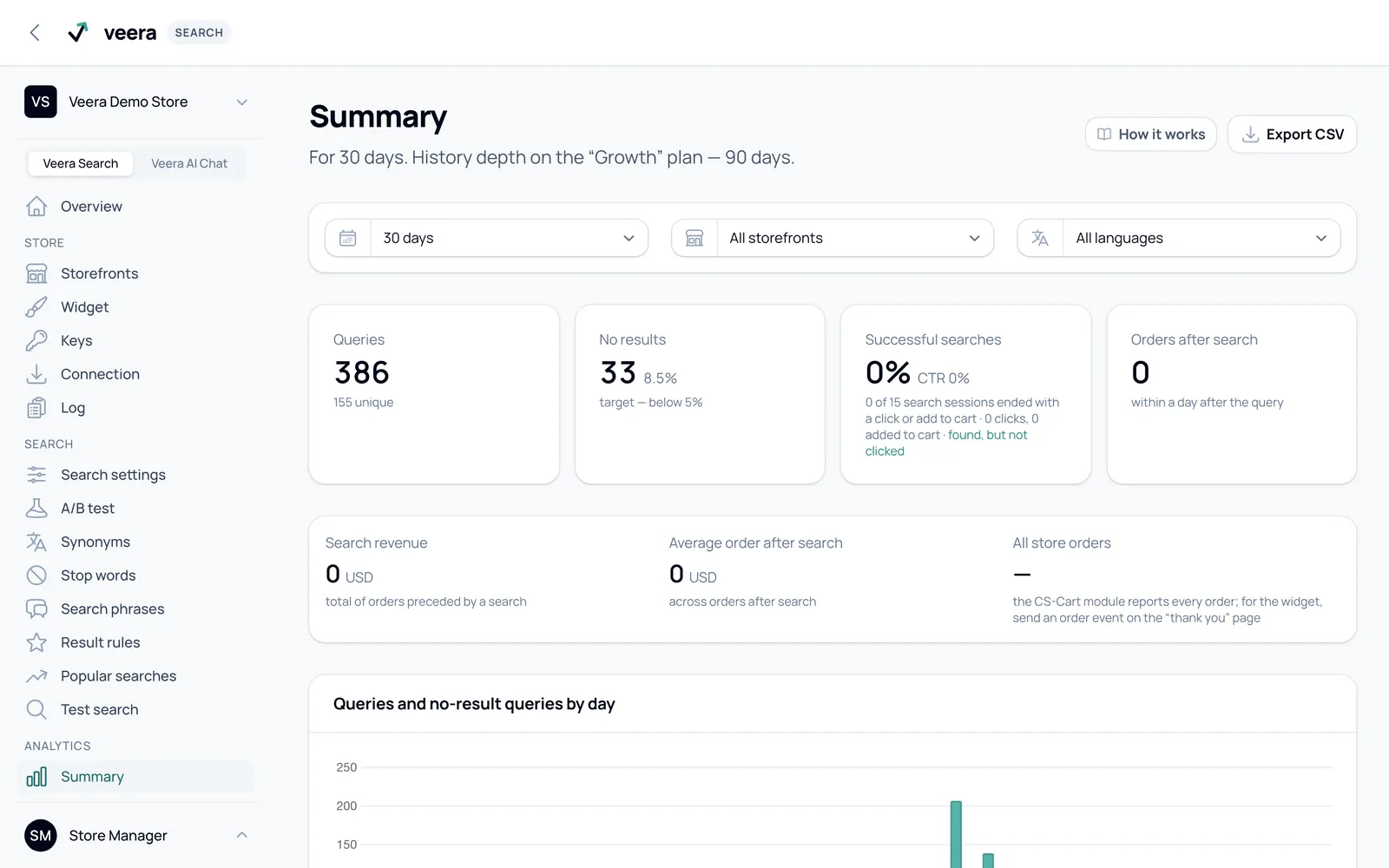
Each screen has filters at the top: period (7, 30 or 90 days, or a year, within your plan’s retention period) and storefront. The language filter is available on Summary, Queries and No results. Clicks and orders has none, because the daily product rollup does not store the language. Orders and revenue on Summary are not split by language either: not every platform passes the order language, so with a language selected these tiles are labeled “all languages”.
The Export CSV button is on all four screens. Summary, Queries and No results export the queries for the period with the columns Query, Queries, No results, Found, avg., Clicks, Added to cart, Orders, Revenue and Last time. Clicks and orders exports products: ID, Product, Clicks, Added to cart, Orders, Revenue. The file is UTF-8; in the English dashboard the fields are separated by commas, so it opens in Excel without the import wizard. Column headers match the screen labels in the dashboard language.
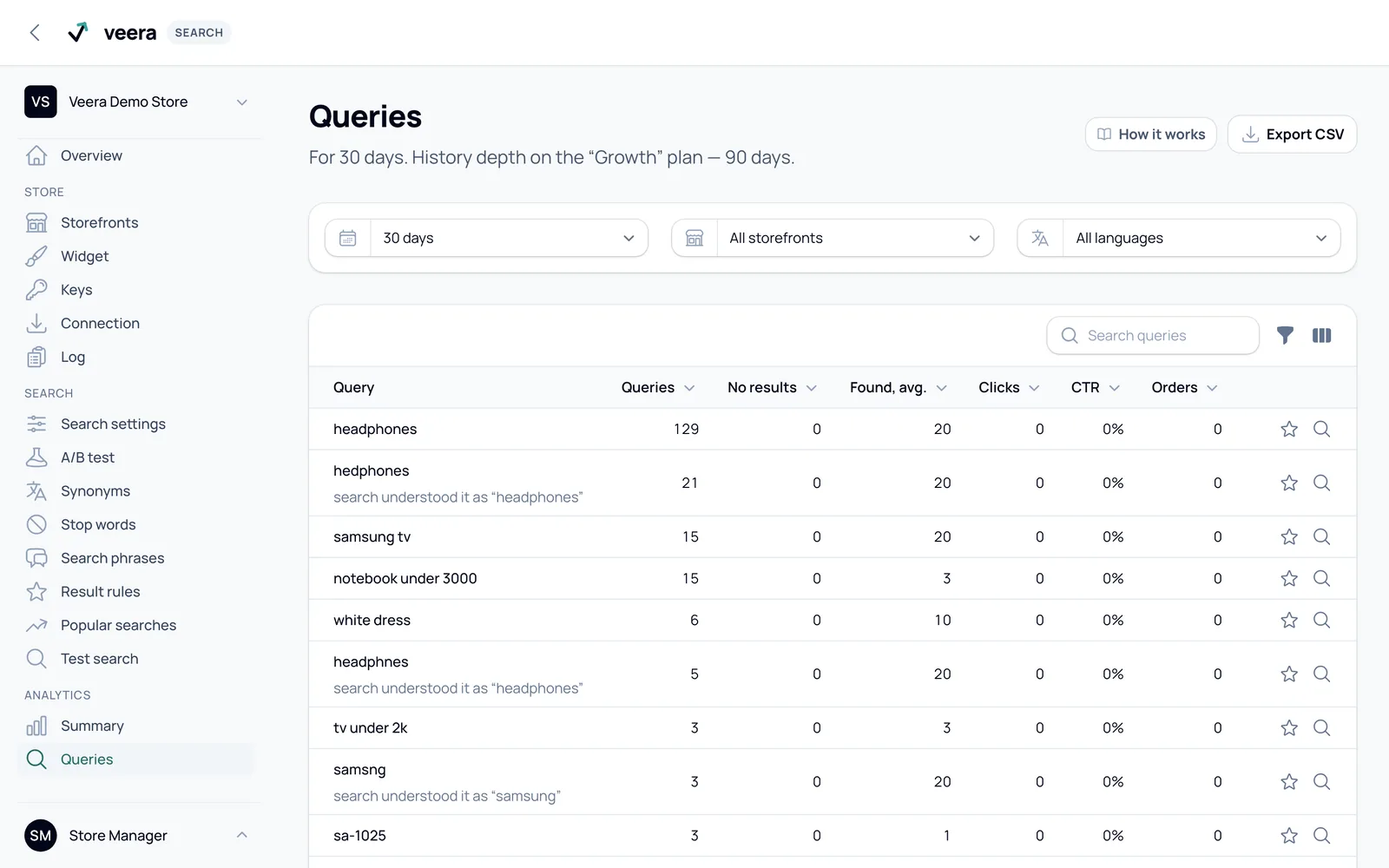
On Queries, a query that search corrected gets a “search understood it as …” line underneath, so you can see what a typo turned into. The Show filter keeps one group in the table: Found, but not clicked, Had no results, With orders or Corrected by search. The column switcher turns on Click position, avg.: where in the results the clicked product stood. The closer to 1, the better search answers that query.
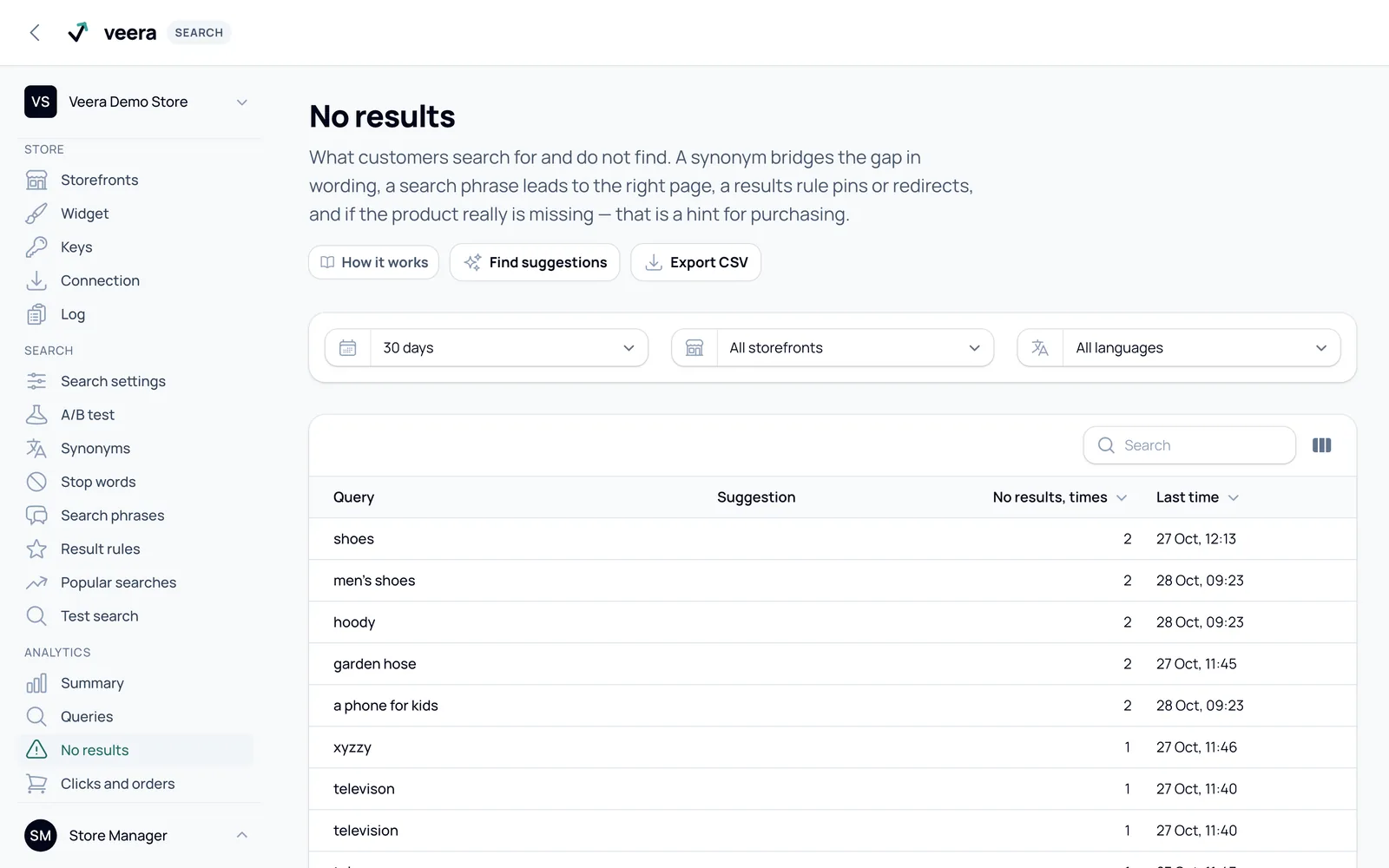
On No results, many queries come with a ready suggestion: a similar query that has results, or a corrected typo. Accept turns the suggestion into a synonym without leaving the screen; Find suggestions recalculates them from fresh data.
Log
Store → Log records the actions of people, the add-on and the system: who changed synonyms or a rule, when the catalog was updated, what went wrong during a feed import, plan limit notifications. Useful when “something changed and nobody knows who did it”. The list shows When, Event and Who; filter it by Source (people’s actions, module, system, support) and Level (regular, warnings, errors).
How long data is kept
Your plan sets how far back analytics goes; it cannot be extended in the search settings.
| Plan | Analytics history |
|---|---|
| Free | 7 days |
| Start | 30 days |
| Growth | 90 days |
| Scale | 180 days |
| Business | 365 days |
| Enterprise | by agreement |
Your plan’s period is shown on the Plan screen and in the subtitle of the analytics screens; plans are compared on the pricing page. Raw events (queries, clicks, carts, orders) are kept for the plan’s period plus one week. Daily figures per query and per product are kept for two years.
You can shorten the period: the Keep query history, days field on the Widget tab of the search settings accepts anything from 7 days up to your plan’s period. Events and daily figures older than that are then deleted, and reports do not look further back.